HELP & DOCUMENTATION
Cool Climate Club Shopify App
Installing the app
● Search “Cool Climate Club” in the Shopify App store
● Click Install
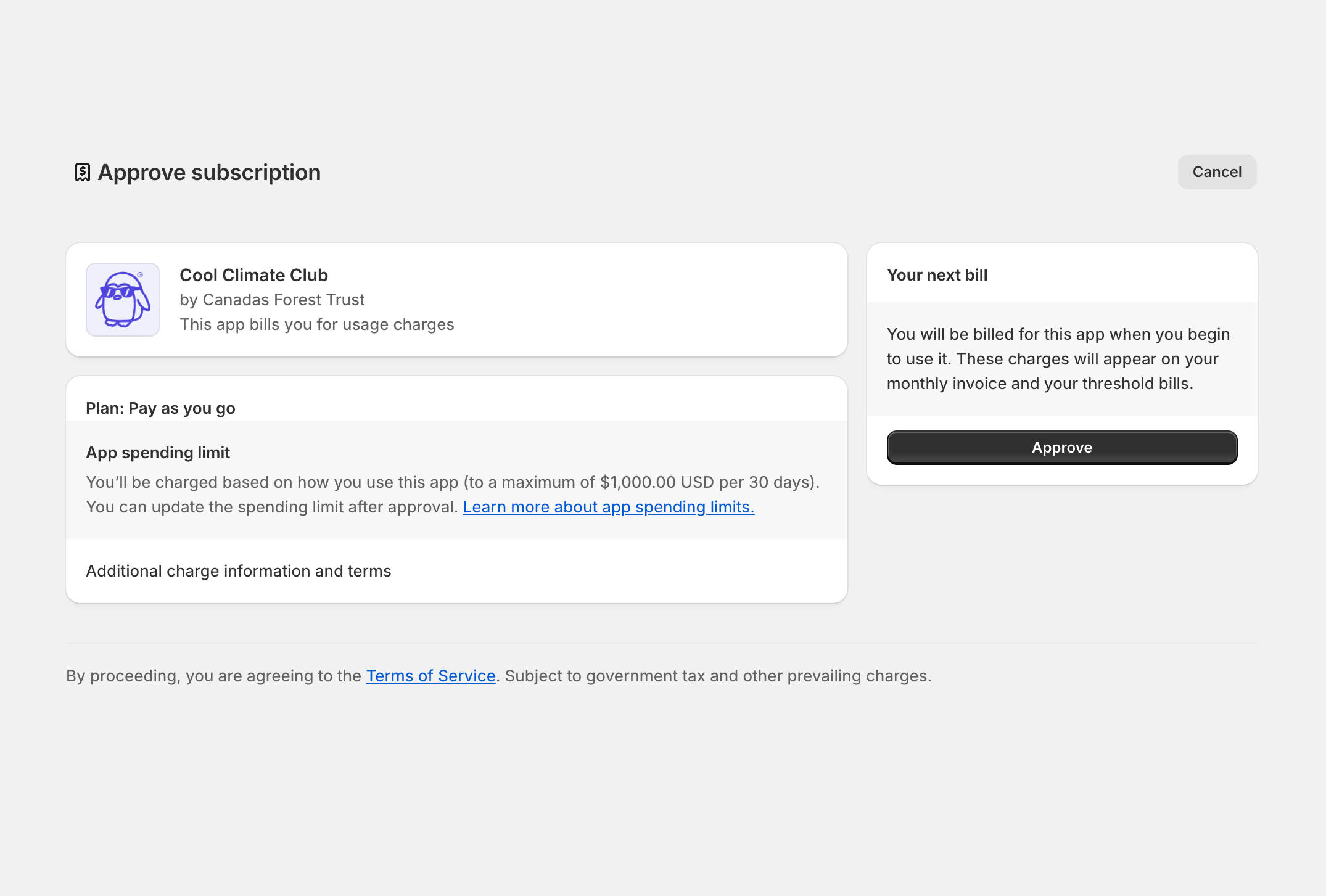
You will be asked to approve up to $5000/month in charges from the app. This is because Shopify requires us to set a limit to the amount our app can charge to your Shopify invoice each month.
The app only charges for the actual amount from each sale recorded as a contribution to your forest, so the app is not charging you fees but rather billing you for the money you collected to put toward your forest.
If you are approaching your limit for the month and want to continue to enable customers to contribute to your forest, please contact us at [email protected]
Connecting your forest
The trees your customers contribute to your forest will be recorded in your Smart Forest Hub™ so you can monitor your impact over time. Follow these steps to connect your Shopify store to your Hub.
NEW CUSTOMERS
If you don’t already have a Smart Forest Hub with us, please fill out the form linked below the field where you can enter your API key.
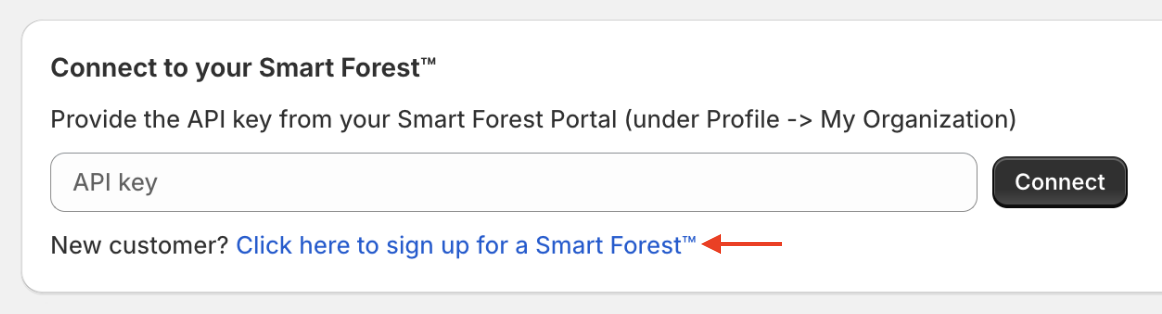
After entering your information, the CFTC team will review your details and set up a custom hub for you. You will receive an email confirming your account creation, with instructions to log in to your new hub.
EXISTING CUSTOMERS
If you already have a Smart Forest Hub, simply log in to your account.
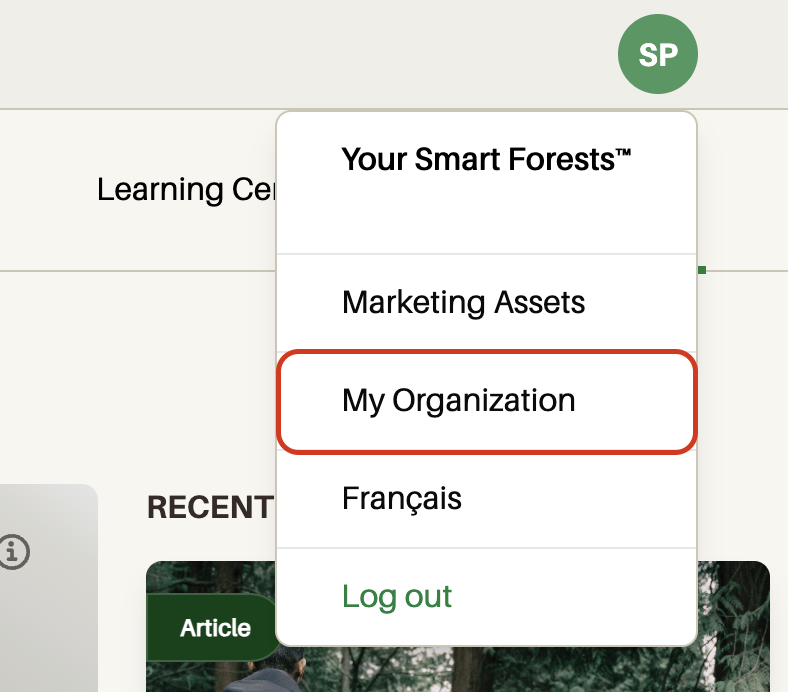
Navigate to the circle with your initials in the upper right hand corner. Select My Organization from the dropdown menu.
Scroll down to the section called “Public API Keys”, and click “Generate New API Key”.
Give a brief description of what the key will be used for (this helps distinguish this key from any other keys generated in the future).
Double click the string of characters to select your API key, and right-click to copy it to your clipboard.
Paste the key into the field at the top of the Cool Climate Club app settings in Shopify.

Configuring contributions
The Cool Climate Club app gives you 3 ways to engage your customers through your Shopify store. The settings from your Shopify online store and Shopify POS will be automatically synced.
STORE-WIDE CONTRIBUTIONS
Allows you to contribute a percentage of all revenue towards your forest.
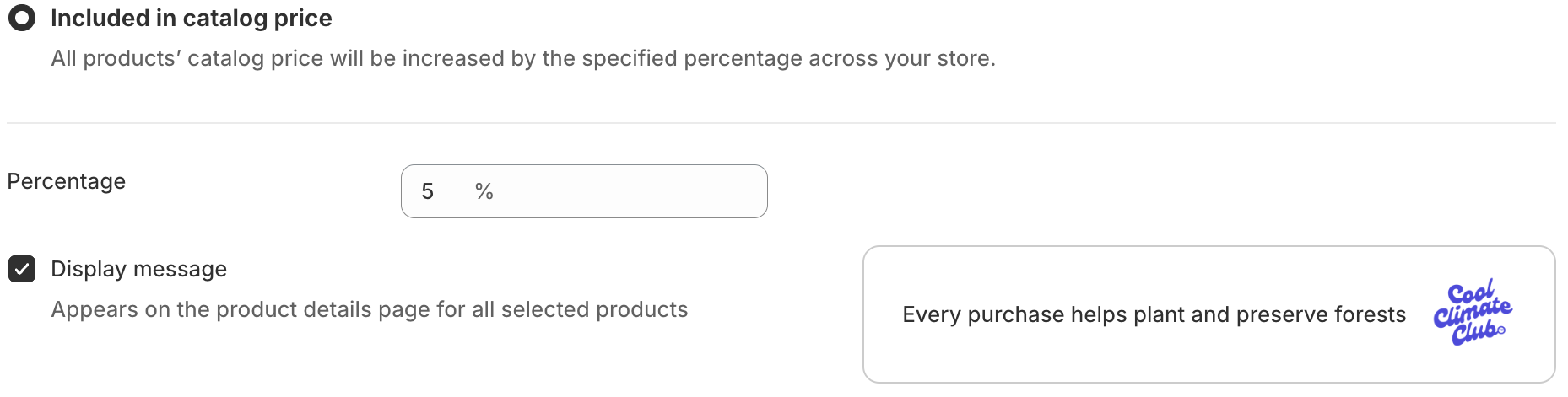
Configure the percentage of sales you’d like to allocate towards your forest.
Choose whether or not you’d like to display the badge on your product detail pages.
Choose this option to prompt customers to contribute:
When they add items to their cart
Before they proceed to check out
CONTRIBUTE AT CHECKOUT
Add up to five dollar amounts for customers to choose from (the “Contribution amounts” field accepts any value over 0.10)
Customize the colours for your icon, text & border, and background to suit your store
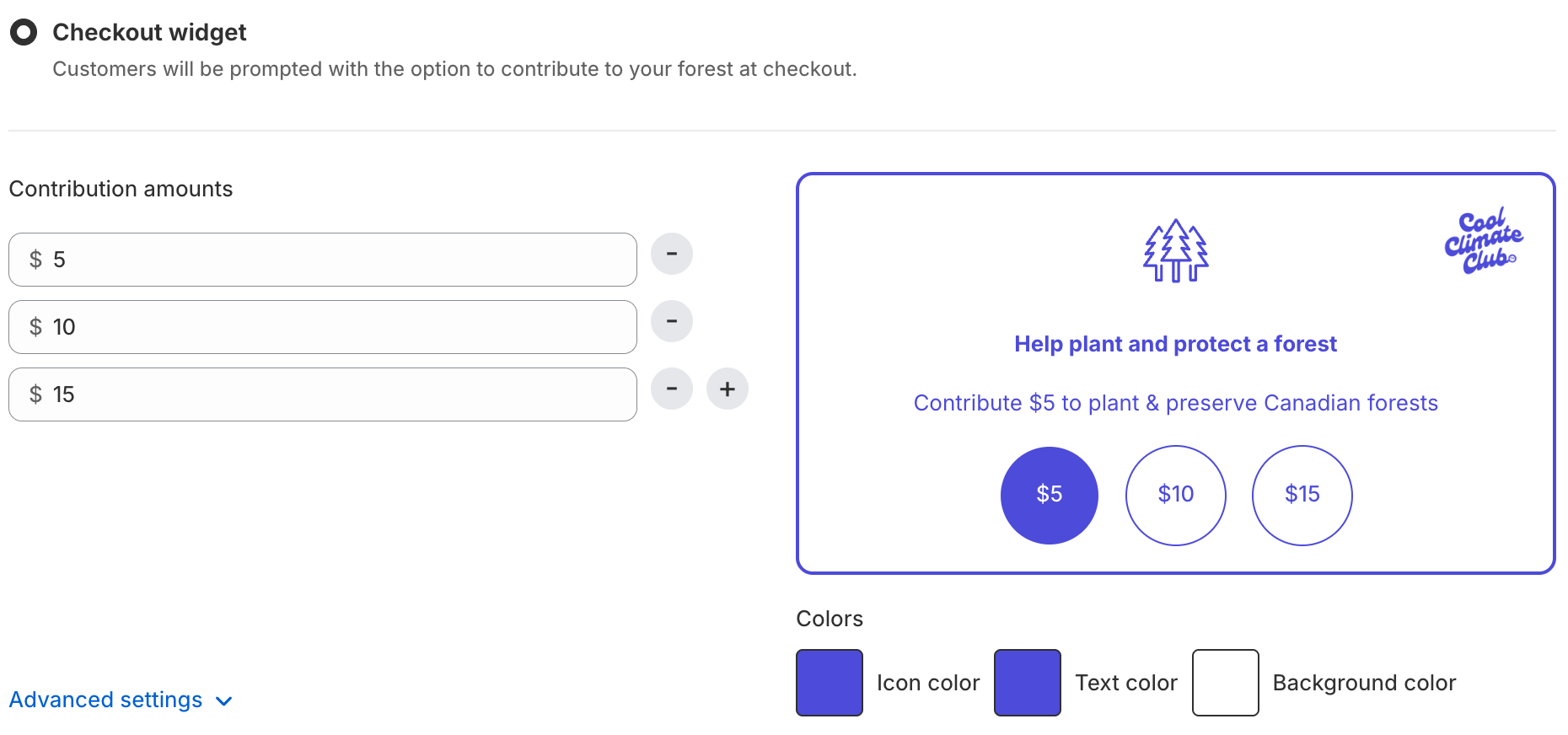
This option allows you to sell trees as a product in your store. While the other two features mentioned above allow customers to contribute smaller dollar amounts that cumulatively fund your forest, this option allows customers to add a certain quantity of trees.
AS A PRODUCT IN YOUR STORE
Click the “Create new product” button. This will automatically add a new product to your store.
Inside the product settings, you can adjust the product name, description or photo.